



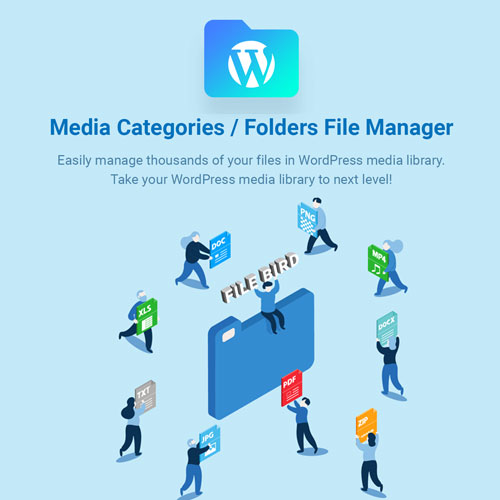
FileBird – WordPress Media Library Folders Plugin
Description:
FileBird – WordPress Media Library Folders is an advanced yet easy-to-use WordPress plugin that revolutionizes how you manage and organize your media files. If your media library is cluttered with countless images, videos, PDFs, and other file types, FileBird brings order and structure with its intuitive folder management system. Designed to mimic a desktop file explorer, FileBird enables you to categorize and organize media files into folders and subfolders — all directly within your WordPress dashboard.
Instead of scrolling endlessly through your uploads, you can now instantly locate and manage your files through a beautifully organized folder tree. Whether you run a blog, eCommerce store, portfolio site, or large-scale corporate website, FileBird helps you save valuable time by streamlining your media management process. Its seamless drag-and-drop interface, compatibility with leading page builders, and lightweight structure make it one of the best WordPress media organization plugins available.
Key Features:
-
Smart Folder Management: Create, rename, delete, or move folders and subfolders easily, giving you full control over how your media files are organized.
-
Drag-and-Drop Functionality: Simplify your workflow with a drag-and-drop interface that allows you to move individual files or entire folders effortlessly.
-
Seamless Integration: FileBird works flawlessly with top WordPress builders and plugins such as Elementor, WPBakery, Divi, Gutenberg, WooCommerce, and many others.
-
Intuitive Folder Tree View: The left sidebar displays a dynamic folder tree for fast navigation and organization, keeping your workspace neat and accessible.
-
Advanced Search and Filter: Quickly search for images, documents, or videos by name, type, or folder location.
-
Compatibility and Import Options: Import existing folder structures from other media management plugins without losing data.
-
Multilingual and RTL Support: FileBird is compatible with WPML, Polylang, and supports RTL languages, making it ideal for multilingual websites.
-
Performance Optimized: FileBird is lightweight and fast, ensuring your site speed and backend performance remain unaffected.
-
User-Friendly Design: Built with both beginners and developers in mind, FileBird’s clean interface makes media organization simple for all users.
-
Pro Features Available: Unlock unlimited folders, custom sorting, advanced filters, and folder color customization with the Pro version.
How FileBird Improves Your Workflow:
Managing digital assets in WordPress can quickly become overwhelming, especially as your website grows. FileBird helps you overcome this challenge by introducing a file management experience similar to your computer’s file explorer. This familiar structure reduces clutter and improves efficiency when handling large volumes of content.
Whether you’re inserting product images for WooCommerce, uploading blog graphics, or managing media-heavy client websites, FileBird saves you hours of unnecessary scrolling and searching. You can organize your files by category, project, or campaign — making updates and replacements much faster.
Integration and Compatibility:
One of FileBird’s strongest advantages is its seamless integration with the most popular WordPress tools. You can easily insert organized media into page builders like Elementor and WPBakery, use it with online stores built on WooCommerce, or manage your website’s gallery images in Divi or Gutenberg. The plugin also integrates smoothly with themes and other third-party extensions, ensuring no disruption to your existing workflow.
FileBird is also developer-friendly, offering compatibility with WordPress multisite environments and REST API support for custom integrations.
Why Choose FileBird?
A disorganized media library slows down productivity, especially when multiple users contribute to the same website. FileBird was created to simplify and professionalize media file management for all types of WordPress users — from freelancers and bloggers to agencies and large organizations.
It allows teams to collaborate efficiently, helps eCommerce stores manage product media files better, and gives bloggers an organized system for their creative assets. The ability to manage media folders directly from your WordPress backend also eliminates the need for third-party file management software.









Dominic Z. –
Very happy with the quality and download speed.
Leon M. –
Excellent theme, love it.