



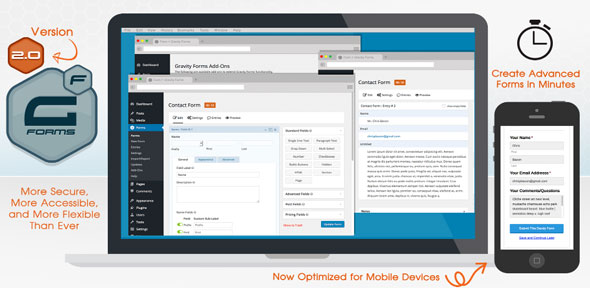
Gravity Forms – Advanced WordPress Form Builder Plugin
In today’s digital landscape, collecting user data efficiently is essential for businesses, websites, and online platforms. Whether it’s capturing leads, processing orders, handling inquiries, or managing registrations, forms play a crucial role in user interaction. Gravity Forms – Advanced WordPress Form Builder Plugin is one of the most powerful and flexible tools available for creating professional forms within WordPress websites.
Gravity Forms is a premium plugin that allows users to build complex, feature-rich forms without writing code. With its intuitive drag-and-drop interface, advanced customization options, and seamless integrations, it has become a preferred solution for developers, businesses, and website owners who require more than just basic form functionality.
Powerful Drag-and-Drop Form Builder
At the core of Gravity Forms is its drag-and-drop form builder, which allows users to create forms visually without any technical expertise.
Users can easily:
- Add and arrange form fields
- Customize layouts and structure
- Create multi-step forms
- Modify labels, placeholders, and validations
The visual interface makes it easy to design forms for different purposes, from simple contact forms to complex data collection systems.
This flexibility ensures that users can build forms tailored to their specific business needs.
Wide Range of Form Fields
Gravity Forms offers a comprehensive selection of form fields that can be used to collect various types of data.
Available field types include:
- Text fields and text areas
- Email and phone number fields
- Dropdowns and radio buttons
- Checkboxes and multi-select options
- File upload fields
- Date and time pickers
- Pricing and product fields
These diverse field options allow users to create forms for multiple use cases, including surveys, bookings, registrations, and eCommerce transactions.
Advanced Form Logic and Conditional Fields
One of the standout features of Gravity Forms is its conditional logic functionality, which allows forms to adapt dynamically based on user input.
With conditional logic, users can:
- Show or hide fields based on responses
- Create personalized form experiences
- Simplify complex forms
- Guide users through step-by-step processes
This feature improves user experience by making forms more interactive and relevant.
Conditional logic is especially useful for applications such as job applications, service requests, and product customization forms.
Multi-Page Forms and Progress Indicators
Gravity Forms supports multi-page forms, allowing users to break long forms into smaller, manageable sections.
Benefits of multi-page forms include:
- Improved user experience
- Reduced form abandonment rates
- Clear progress tracking for users
Progress indicators help users understand how much of the form is left to complete, making the process more engaging and less overwhelming.
Payment and eCommerce Integration
Gravity Forms includes powerful payment integration features, making it suitable for handling transactions directly through forms.
It supports integration with payment gateways such as:
- Stripe
- PayPal
With these integrations, businesses can:
- Accept online payments
- Process orders and subscriptions
- Collect donations
- Manage invoices
This makes Gravity Forms an excellent tool for eCommerce websites and service-based businesses.
Email Notifications and Workflow Automation
Gravity Forms allows users to set up automated email notifications and workflows, ensuring that both administrators and users receive timely updates.
Automation features include:
- Email confirmations for form submissions
- Notifications to administrators
- Conditional email routing
- Integration with email marketing tools
These automation capabilities streamline communication and improve operational efficiency.
Third-Party Integrations
Gravity Forms integrates with a wide range of third-party services and tools, making it highly versatile.
Integrations may include:
- CRM systems
- Email marketing platforms
- Payment gateways
- Project management tools
- Zapier for workflow automation
These integrations allow businesses to connect their forms with other systems, creating a seamless workflow across different platforms.
Data Management and Reporting
Gravity Forms includes tools for managing and analyzing form submissions. Administrators can access all collected data through the WordPress dashboard.
Data management features include:
- Viewing and editing form entries
- Exporting data in CSV format
- Filtering and searching submissions
- Generating reports
These tools help businesses analyze user data and make informed decisions.
Security and Spam Protection
Security is essential when collecting user data. Gravity Forms includes built-in security and spam protection features to ensure safe form submissions.
Security features include:
- CAPTCHA and anti-spam tools
- Data validation and sanitization
- Secure data storage
- User permission controls
These measures help protect both website owners and users from malicious activity.
Mobile-Responsive Design
Gravity Forms is designed to be fully responsive, ensuring that forms work seamlessly across all devices, including desktops, tablets, and smartphones.
Mobile-friendly forms improve user experience and increase completion rates, especially as more users access websites via mobile devices.
Search engines like Google also prioritize mobile-friendly websites, making responsive forms important for SEO.
Key Features of Gravity Forms
Gravity Forms offers a comprehensive set of features that make it one of the most advanced form builder plugins for WordPress.
Core features include:
- Drag-and-drop form builder
- Wide variety of form fields
- Conditional logic and dynamic forms
- Multi-page form support
- Payment gateway integration
- Email notifications and automation
- Third-party integrations
- Data management and reporting tools
- Security and spam protection
- Mobile-responsive design
These features make it suitable for both simple and complex form-building needs.
Benefits for Businesses and Developers
Using Gravity Forms provides several advantages for website owners and developers.
Key benefits include:
- Easy form creation without coding
- Advanced customization options
- Seamless integration with business tools
- Improved user experience and engagement
- Efficient data collection and management
For businesses, this means better lead generation, smoother workflows, and improved customer interaction.
Conclusion
Gravity Forms – Advanced WordPress Form Builder Plugin is a powerful and flexible solution for creating professional forms on WordPress websites. With its intuitive drag-and-drop builder, advanced features like conditional logic and payment integration, and seamless third-party integrations, it provides everything needed to manage data collection and user interaction effectively.
Whether you are building contact forms, payment forms, surveys, or registration systems, Gravity Forms offers the tools required to create efficient, secure, and user-friendly forms. Its scalability and versatility make it an essential plugin for businesses, developers, and anyone looking to enhance their website’s functionality.









Reviews
There are no reviews yet.